

Imagine watching your favourite shows and movies whenever you like. IPTV, or Internet Protocol Television, makes this possible. It brings content straight to your device over the internet. Say goodbye to waiting for episodes to air; now you choose what and when to watch.
IPTV works by sending video content in data packets. These packets go from servers to your device, where they become streams you can watch. This technology offers a wide range of content, from live TV to on-demand movies. But, you need a good internet connection to enjoy it. For UK viewers, a 5 Mbps speed is good for standard definition, 10 Mbps for high definition, and 25 Mbps or more for 4K.
Exploring IPTV reveals its many benefits. It lets you watch what you want, when you want, with more channels than traditional TV. You can find everything from UK local channels to international content. IPTV meets all your viewing needs, whether you prefer live streaming, video on demand, or catch-up features.
Key Takeaways
- IPTV offers flexible viewing options tailored to your schedule.
- Reliable internet is crucial for a seamless experience.
- Extensive channel selection surpasses traditional TV services.
- Different types of services include live streaming and video on demand.
- Catch-up features allow you to revisit missed programmes.
Compatible Devices for IPTV in the UK
Understanding device compatibility is key for a great IPTV experience in the UK. Many devices can improve your viewing, from Smart TVs to streaming devices. We’ll look at different devices that support IPTV, helping you pick the best one.
Smart TVs Supporting UK IPTV
Smart TVs are a top choice for many UK homes. They have apps for IPTV services right on them.
Samsung Smart TV Setup
Samsung Smart TVs use Tizen OS, supporting many IPTV apps. To set up IPTV on your Samsung TV, follow these steps:
- Press the Home button on your remote.
- Navigate to the Samsung Smart Hub.
- Search for your preferred IPTV app and install it.
LG Smart TV Configuration
LG Smart TVs run webOS, letting you download IPTV apps from the LG Content Store. Here’s how to configure it:
- Access the LG Content Store from the home screen.
- Search for your IPTV app and select it.
- Click Install and wait for the process to complete.
Sony and Panasonic Options
Sony TVs with Android TV (now Google TV) have easy access to the Google Play Store. Panasonic TVs with My Home Screen OS might need external devices for better IPTV.
Streaming Devices and Media Players
Streaming devices often give the best IPTV experience. Here are some popular ones:
Amazon Fire TV Stick Installation
The Amazon Fire TV Stick is cheap and easy to carry. To install IPTV:
- Plug the Fire TV Stick into your TV’s HDMI port.
- Follow the on-screen instructions to connect to Wi-Fi.
- Sideload your preferred IPTV app if it’s not available in the Amazon Appstore.
Google Chromecast with Google TV
This device has a simple interface and works well with Google services. To set it up:
- Connect the Chromecast to your TV and power it on.
- Follow the setup instructions on your TV screen.
- Download your IPTV app from the Google Play Store.
Apple TV 4K Configuration
Apple TV 4K has strong hardware for streaming. To configure it:
- Connect the Apple TV to your HDMI port.
- Set up your Wi-Fi connection.
- Download IPTV apps from the Apple App Store.
Computers and Mobile Devices
Computers and mobile devices can also access IPTV services. Here’s how:
Windows and macOS Computers
Windows and macOS computers can run IPTV software like VLC Media Player or dedicated apps. Just download the software and enter your IPTV subscription details to start streaming.
iOS and Android Smartphones and Tablets
For watching on the go, iOS and Android devices have apps in their stores. Download your preferred IPTV app, enter your subscription details, and enjoy streaming anywhere.
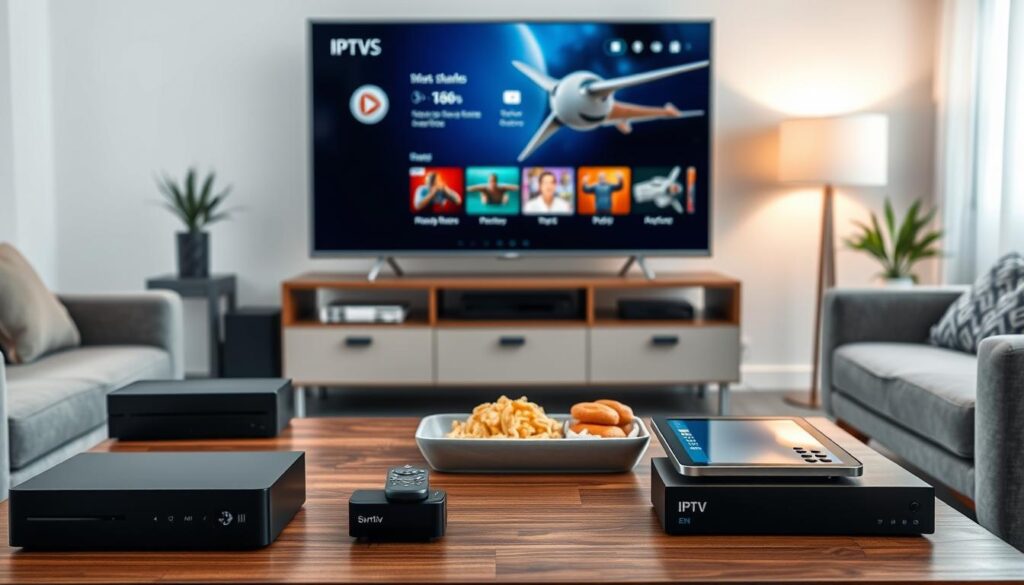
In conclusion, most modern devices support IPTV in the UK. By choosing the right device, you can improve your streaming and enjoy a wide range of content easily.
Finding the Right IPTV Apps for Your UK Subscription
Finding the right IPTV app can change how you stream. There are many options, so picking the right one is key. We’ll look at popular apps, where to find them, and how to use them.
Popular IPTV Applications
Some IPTV apps are more popular in the UK for their features and ease of use. Let’s check out three top picks:
IPTV Smarters Pro Features
IPTV Smarters Pro is loved for its easy-to-use design and strong features. It has:
- Multi-screen viewing capability
- Support for Xtream Codes API
- Built-in player for smooth streaming
- Parental control options, great for families
GSE Smart IPTV Options
GSE Smart IPTV is a top choice for iOS, Android, and macOS. It offers:
- Robust EPG support for programme guides
- Subtitle customisation features
- Chromecast compatibility for easy streaming
Perfect Player Setup
Perfect Player has a clean, set-top box-style interface. Its main features are:
- M3U playlist support for easy channel access
- Advanced settings for fine-tuning playback performance
Device-Specific App Stores
Where you can find IPTV apps varies by device. Here’s a look at what’s available in different stores:
Amazon Appstore Selections
In the Amazon Appstore, some IPTV apps are available. Others might need sideloading with tools like Downloader. Always check if it works with your device.
Google Play Store Options
The Google Play Store has the most IPTV apps for Android devices. This is where you can find many of the best IPTV UK options.
Apple App Store Alternatives
The Apple App Store has fewer IPTV apps due to strict policies. But, you can still find GSE Smart IPTV and IPTVX for iOS users.
Loading IPTV Playlists onto Applications
Adding your IPTV playlists is a key step. Here’s how to do it:
M3U Playlist Configuration
- Get the M3U URL from your IPTV provider.
- Open your chosen app and go to settings.
- Paste the M3U URL into the right field.
- Check that the channels work.
EPG Setup for Programme Guides
To make your viewing better, set up an Electronic Programme Guide (EPG). Follow these steps:
- Find the EPG source URL from your IPTV service.
- Add the EPG source URL in your app settings.
- Make sure current and upcoming programme info shows up right.
By following these tips, you can pick and set up the best IPTV UK apps for you.

Setting Up Your Smart TV for IPTV Streaming
To enjoy IPTV on your Smart TV, follow a few easy steps. This guide will help you set up IPTV on Samsung and LG Smart TVs in the UK. Let’s get your IPTV subscriptions working smoothly.
Samsung Smart TV IPTV Installation
Accessing the Samsung Smart Hub
First, press the Home button on your remote. This will take you to the Samsung Smart Hub. Then, go to the Apps section.
Installing IPTV Applications
Search for IPTV apps like Smart IPTV or SS IPTV. If you can’t find them, use the web browser to visit their websites.
Configuring Your UK IPTV Service
After installing the app, open it and enter your subscription details. This might include your M3U playlist URL or Xtream Codes. Make sure the channels work properly.
LG Smart TV Configuration Steps
Navigating the LG Content Store
For LG TVs, go to the LG Content Store. Here, find IPTV apps that fit your needs.
App Installation Process
Follow the prompts to install your chosen IPTV app. Choose apps that are highly rated and work with UK IPTV subscriptions.
Network and Account Setup
Make sure your LG TV is connected to a stable internet. This is key for smooth streaming. Create an account if needed before launching the app.
Other Smart TV Brands and Alternative Methods
Sony Android TV Options
Sony Android TVs can access the Google Play Store. Look for apps like TiviMate or IPTV Smarters Pro for better viewing.
Hisense and TCL Smart TVs
Hisense and TCL TVs run on Android TV, Roku, or their own systems. Find out your TV’s OS to get compatible apps. Use the app store’s search to find IPTV apps.
Using External Streaming Devices as Alternatives
If your Smart TV is old or lacks app support, try external devices. The Amazon Fire TV Stick, Google Chromecast, and Apple TV work with most TVs with an HDMI port.
| Smart TV Brand | Access Method | Recommended Apps |
|---|---|---|
| Samsung | Samsung Smart Hub | Smart IPTV, SS IPTV |
| LG | LG Content Store | Smart IPTV, SS IPTV |
| Sony | Google Play Store | TiviMate, IPTV Smarters Pro |
| Hisense/TCL | App Store (varies by OS) | Various IPTV apps |
| External Devices | HDMI Port | Fire TV Stick, Chromecast, Apple TV |
By following these steps, you can set up IPTV on your Smart TV, no matter the brand. Enjoy your favourite shows and channels easily!

Step-by-Step IPTV Installation Guide for UK Viewers
Setting up your IPTV service is easy with this guide. It’s made for UK viewers and will help you get started quickly.
Preparing Your Internet Connection
Your internet connection is key for a good IPTV experience. A fast and stable connection means you can watch your favourite shows without any problems.
Checking Your Broadband Speed
First, check your broadband speed. Use tools like Speedtest.net or Fast.com. You’ll need:
- 5 Mbps for standard definition (SD)
- 10 Mbps for high definition (HD)
- 25+ Mbps for 4K content
Wired vs Wireless Connection Benefits
Use a wired connection for devices like Smart TVs. An Ethernet cable gives a stable connection without Wi-Fi interference. But, if your router is close, dual-band Wi-Fi works well too.
Installing Your Chosen IPTV Application
Ready your internet, then install your IPTV app. You can download from official stores or side-load.
Downloading from Official Sources
For a safe install, get your app from places like the Google Play Store or Apple App Store. This way, you avoid harmful software.
Side-Loading Applications Safely
If the app isn’t in your store, you can side-load it. First, turn on “Unknown Sources” in settings. Then, download the APK from a trusted site and scan it for malware before installing.
Entering Your IPTV Subscription Details
Now, enter your IPTV subscription details. You’ll need your server URL and login info, found in your welcome email or account dashboard.
Finding Your Server URL and Credentials
Copy and paste the M3U playlist URL or enter the Xtream Codes API details as instructed. This is important for accessing your channels.
Testing Your Connection
After entering your details, test your connection by loading a few channels. This confirms everything is working right before you do more settings.
Configuring Channel Categories and Favourites
Organise your viewing by setting up channel categories and favourites. This makes it easier to find what you want.
Organising UK Channels
Put your channels into groups like sports, entertainment, news, and kids. This makes finding shows quicker.
Setting Up Parental Controls
If you have kids, set up parental controls. This feature helps block content not suitable for their age, keeping their viewing safe.
Optimising Streaming Quality and Performance
To enjoy IPTV fully, you need to improve both streaming quality and performance. This means understanding video settings, optimising your network, and ensuring your devices work well. You also need the right internet speeds.
Understanding Video Quality Settings
Video quality settings are key to a good viewing experience. You can choose from:
- SD (Standard Definition) – 480p resolution.
- HD (High Definition) – 720p or 1080p resolution.
- Full HD – 1080p resolution.
- 4K (Ultra High Definition) – 2160p resolution.
Higher resolutions like Full HD and 4K offer clearer pictures. But, they need more data. So, your internet must support the bitrate for the quality you want. Otherwise, you might see buffering.
Bitrate and Resolution Relationships
Bitrate and resolution are closely linked. Higher resolutions need more data to stream smoothly. For example, 4K content needs at least 25 Mbps. If your connection can’t handle this, streaming will be interrupted.
Network Optimisation Techniques
Improving your network can make streaming better. Here are some tips:
- Quality of Service (QoS) Settings: Many routers let you make IPTV traffic a priority.
- Reducing Latency and Buffering: Close apps in the background, place your router near your TV, or switch to a less busy Wi-Fi channel.
Quality of Service Settings
QoS settings help manage bandwidth. They can reduce streaming interruptions by prioritising IPTV traffic.
Reducing Latency and Buffering
To cut down latency, consider a mesh Wi-Fi system for bigger homes. It keeps your signal strong everywhere.
Device Performance Improvements
Your streaming device’s performance affects your viewing. Here are ways to boost it:
- Clearing Cache and Temporary Files: Regularly clearing these frees up storage and boosts performance.
- Updating Firmware and Software: Keeping your device and apps updated ensures you get the latest improvements and bug fixes.
Clearing Cache and Temporary Files
Clearing the cache in your IPTV app can fix slow performance and speed up your device.
Updating Firmware and Software
Regular updates bring performance and security enhancements. They make your streaming smoother.
Recommended Internet Speeds for UK IPTV
Knowing the right internet speeds for IPTV is key. Here’s what you need:
- Minimum Requirements for Standard Streaming: 5-10 Mbps for HD content.
- Optimal Speeds for 4K Content: 25 Mbps or higher, with 50 Mbps recommended for households with multiple streams.
Minimum Requirements for Standard Streaming
For HD content, a speed of 5-10 Mbps is recommended. It ensures a smooth experience.
Optimal Speeds for 4K Content
For 4K content, aim for at least 25 Mbps. For families or households with multiple users, 50 Mbps is best to avoid interruptions.
By following these tips, you can greatly improve your IPTV streaming quality and performance. This ensures a smooth experience when you watch UK TV online.
Troubleshooting Common IPTV Issues
If you’re having trouble with your IPTV service, you’re not alone. Many people face similar problems. Here are some common issues and solutions to help you enjoy your favourite shows again.
Buffering and Playback Problems
Buffering is a big problem for many IPTV users. First, check your internet connection. Do a speed test at different times to see if it changes. If you find packet loss, try using a wired connection to avoid Wi-Fi problems.
Another solution is to adjust your stream quality. If you’re watching in 4K and it’s buffering, try HD or SD. This can make a big difference on slower connections.
Checking Internet Stability
Make sure your internet connection is stable. A good connection is key for smooth streaming.
Adjusting Stream Quality Settings
Lowering the stream quality can help with buffering. This lets you watch without interruptions.
Authentication and Login Errors
Authentication errors can be frustrating. First, check if your subscription is active by logging into your provider’s website. This ensures your account is good to go.
Another common mistake is typing the server URL wrong. A small mistake in the M3U address or Xtream Codes URL can block access. To avoid this, copy and paste the URL from the provider’s email.
Verifying Subscription Status
Check your subscription status by logging into your provider’s site. This confirms your account is active.
Correcting Server URL Entry
Make sure the server URL is correct to avoid access problems.
Audio and Video Synchronisation Issues
If audio and video are out of sync, try clearing the app cache. This can solve temporary problems. If it doesn’t work, try reinstalling the IPTV app for a clean start.
Clearing Application Cache
Clearing the cache can fix minor audio and video sync issues.
Reinstalling the IPTV Application
Reinstalling the app can solve deeper problems.
Channel Availability and EPG Problems
Sometimes, channels may disappear or the EPG shows “No Information.” This often means your playlist is outdated. To fix it, refresh your playlist in the app settings.
You can also update the programme guide by re-entering the EPG source URL or doing a manual EPG refresh.
Refreshing Your Playlist
Refreshing your playlist can bring back missing channels and improve your viewing.
Updating Programme Guide Information
Make sure your EPG source URL is up to date to avoid missing programme details.
Remember, these issues are common, and with these tips, you can solve them. For more detailed info, check out this resource.
Securing Your IPTV Connection in the UK
To enjoy IPTV in the UK, keeping your connection safe is key. Streaming services are getting more popular. It’s important to protect your data and have a smooth viewing experience. A VPN (Virtual Private Network) can greatly improve your security while streaming.
Why VPN Services Matter for IPTV Users
VPN services have many benefits for IPTV users. Two main advantages are:
- Privacy Protection: A VPN encrypts your internet traffic. This stops your ISP from knowing which IPTV services you use and what you watch.
- Avoiding Throttling from ISPs: Some UK broadband providers might slow down streaming during busy times. A VPN hides your activity. This can stop throttling and might make your streaming better.
Choosing a Suitable VPN for Streaming
When picking a VPN for streaming, think about these points:
Server Locations in the United Kingdom
Go for a VPN with lots of UK server locations. This ensures fast and low-latency connections.
Connection Speed Considerations
Every VPN adds some overhead. So, pick a provider known for fast servers, especially for 4K IPTV streaming. ExpressVPN, NordVPN, and Surfshark are good choices.
Setting Up Your VPN with IPTV Applications
There are two main ways to set up your VPN:
Router-Level VPN Configuration
This method protects all devices on your network. It’s great for Smart TVs and streaming boxes that can’t use VPN apps directly.
Device-Specific VPN Installation
For devices like the Amazon Fire TV Stick or Android TV box, download the VPN app. Then, connect before using your IPTV app.
Maintaining Security While Streaming
To keep your streaming safe, follow these tips:
Avoiding Unofficial IPTV Sources
Be careful of unofficial IPTV sources. They might have malware or phishing attempts. Stick to trusted providers.
Recognising Legitimate UK IPTV Providers
Look for proper business registration, clear pricing, and good customer support. Avoid services that seem too cheap or ask for untraceable payments.
Exploring UK IPTV Packages and Channel Options
Exploring IPTV packages in the UK opens up exciting viewing options. With many providers offering a wide range of channels, it’s key to know what’s out there. This helps you make a well-informed choice.
Popular UK Channel Packages Available
When looking at iptv packages uk, you’ll find lots of channels for different interests.
Sports Channels and Live Events
Sports fans will love the access to top channels like Sky Sports and BT Sport. These packages include live events such as:
- Premier League matches
- UEFA Champions League games
- International sporting events
These options are pricey through traditional TV, making IPTV a budget-friendly choice.
Entertainment and Film Networks
Movie and show lovers will enjoy major networks like BBC, ITV, and Sky Atlantic. With on-demand films and series, you can watch:
- Sky Cinema
- Extensive library of on-demand films
News and Documentary Content
Stay updated with 24-hour news channels like BBC News and Sky News. Documentary fans can explore channels like National Geographic and Discovery. This ensures a balanced viewing experience.
Understanding Package Pricing Structures
It’s important to understand the pricing of iptv packages uk. Most providers offer both monthly and annual plans.
Monthly vs Annual Subscription Models
Monthly plans offer flexibility, allowing you to cancel anytime. Annual subscriptions, however, come with big discounts. This can cut the monthly cost by up to 30-50%.
Comparing Value Across Providers
When comparing providers, look beyond price. Consider channel counts, video quality, EPG support, and overall value.
Multi-Device Access Options
IPTV’s big plus is the ability to watch on multiple devices. This is great for families.
Simultaneous Viewing Limits
Check the simultaneous viewing limits of your chosen package. This tells you how many devices can stream content at once under one subscription.
Family and Household Subscriptions
Some providers offer family subscriptions for multiple streams. This makes IPTV a budget-friendly option for families with different viewing tastes.
Evaluating UK IPTV Service Reviews
Before deciding, it’s smart to check out UK IPTV service reviews. Reliability and uptime are key factors.
Reliability and Uptime Considerations
Look for providers with uptime guarantees of 99% or more. User reviews can give you a real idea of the service’s performance.
Customer Support Quality
Good customer support is crucial. Look at live chat availability, response times, and whether support teams are based in the UK or nearby.
Legal Considerations for IPTV in the United Kingdom
It’s important to know the legal side of IPTV in the UK. As IPTV becomes more popular, knowing about copyright and broadcasting laws is key. This section will help you understand the legal aspects to enjoy streaming legally.
Understanding UK Copyright and Broadcasting Laws
The UK has strict laws about copyright and broadcasting. Licensed IPTV services follow these laws, paying for the rights to the content they offer. On the other hand, unlicensed services stream content without permission, which is risky for users.
Licensed vs Unlicensed Content
Licensed content is legal and distributed by providers with the right permissions. Unlicensed content is often cheaper but can lead to legal problems. It’s crucial to check if your IPTV provider is legal.
Penalties for Using Illegal IPTV Services
Using illegal IPTV services can lead to serious penalties. While the main focus is on providers, users can also face fines and legal action. Knowing these risks is important for a safe viewing experience.
Distinguishing Legal from Illegal Providers
It can be hard to tell if an IPTV provider is legal. Here are some warning signs:
- Prices that seem too good to be true
- Payment methods limited to cryptocurrency or untraceable options
- Lack of a registered business address
- No customer support contact details
- Promises of “every channel for life” for a one-off fee
Red Flags of Unauthorised Services
Be careful of services with these signs. They often show they are not legitimate and could cause legal issues.
Verified and Reputable UK IPTV Providers
Legal IPTV providers in the UK are open about their costs, offer safe payment options, and have good customer support. Always look for providers that clearly show their licensing information.
Staying Compliant While Enjoying IPTV
To enjoy IPTV without legal issues, use official and licensed services. Services like BBC iPlayer, ITVX, Channel 4, My5, NOW, and Sky Go are legal and safe choices.
Using Official and Licensed Services
Choosing these services means you’re watching content legally and ethically.
Understanding Your Rights as a Viewer
You have rights as a viewer, like clear pricing and the right to cancel subscriptions. Knowing these rights makes your IPTV experience better.
| Provider Type | Legality | Examples |
|---|---|---|
| Licensed Providers | Legal | BBC iPlayer, ITVX |
| Unlicensed Providers | Illegal | Various suspicious IPTV services |
| Third-Party Services | Varies | NOW, Sky Go |
Knowing the legal side of IPTV in the UK lets you enjoy it safely and legally.
Maximising Your IPTV Experience: Expert Tips
To get the most out of IPTV, follow expert tips. This guide will help you organise your viewing, use the Electronic Programme Guide (EPG) well, and find extra features to boost your entertainment.
Organising Your Viewing Preferences
Start by making custom channel lists. This lets you sort your favourite UK channels by type, like sports or films. It makes finding your favourite shows easy.
Creating Custom Channel Lists
Most IPTV apps let you create custom lists. Check your app settings to see how. It makes finding your favourite shows simpler.
Setting Up Series Recording
Series recording is another great feature. It lets you catch up on your favourite shows even if you miss them live. Just set it up in your IPTV app and enjoy saved episodes.
Using Electronic Programme Guide Effectively
The Electronic Programme Guide (EPG) is very useful. It shows what’s on now and what’s coming up on all channels.
Navigating the On-Screen Guide
Get good at using the EPG. Knowing its layout makes it easy to find what you want to watch.
Scheduling Recordings and Reminders
From the EPG, you can plan your viewing and set reminders. This helps you stay on top of your favourite shows and get notifications when they start.
Exploring Additional Features and Settings
Don’t miss out on extra features in your IPTV app. They can really improve your viewing experience.
Audio Language and Subtitle Options
Many IPTV services offer different audio languages and subtitles. This is great for accessibility or learning a new language. Check your app’s settings to switch between these options.
Picture-in-Picture Functionality
Some IPTV apps have picture-in-picture. This lets you watch your programme in a small window while doing other things. It adds flexibility to your viewing.
Future-Proofing Your IPTV Setup
Finally, think about making your IPTV setup future-proof. Technology changes, and keeping your gear up to date can make your experience better.
Updating Equipment Regularly
Swap out old streaming devices every few years. New ones have better processors and operating systems, which can improve your streaming quality.
Monitoring Technology Developments
Keep up with the latest in IPTV technology. Look out for things like AV1 codec support and better streaming quality. New app features can also enhance your viewing.
This section helps you get the most from your IPTV in the UK. It turns a basic setup into a top-notch entertainment system. For more info or help, feel free to contact us.
Conclusion
Starting your IPTV journey in the UK? You now know the basics and how to set it up. Choosing the right devices and apps is key for a smooth experience. IPTV brings flexibility and variety, unlike traditional TV.
Still got questions? IPTV is legal in the UK if you use licensed services. You’ll need at least 10 Mbps for HD streaming and 25 Mbps for 4K. Yes, you can watch IPTV on multiple devices, but check your subscription’s limits.
Do you need a VPN for IPTV? Not for legal services, but it boosts privacy and avoids slow speeds.
Looking for the best IPTV UK service? Pick one that fits your channel choices and budget. Read reviews and try a trial subscription first. This lets you test it on your main device before exploring more features.
IPTV is getting better, with higher quality streams and more content for UK viewers. For more tips, check out this resource. Your IPTV adventure is just starting, and it’s full of possibilities.
FAQ
What is IPTV and how does it work in the UK?
IPTV, or Internet Protocol Television, sends TV content over the internet. It uses packets of video data that your device turns into TV shows. In the UK, you need a fast internet connection, at least 10 Mbps for HD streaming.
Is IPTV legal in the UK?
Yes, IPTV is legal in the UK if you use licensed services. Make sure to pick reputable UK IPTV providers to follow copyright laws.
What internet speed do I need for IPTV?
For SD streaming, 5 Mbps is enough. For HD, you need at least 10 Mbps. For 4K, aim for 25 Mbps or more.
Can I use IPTV on multiple devices?
Yes, many IPTV services let you watch on several devices. But, how many streams you can have depends on your package.
What are the best IPTV services in the UK?
The best IPTV service for you depends on what channels you like, your budget, and your devices. Look at user reviews and compare different providers to find the best one.
Do I need a VPN for IPTV in the UK?
While not needed for legal services, a VPN adds privacy and helps avoid ISP throttling.
How do I set up IPTV on my Smart TV?
To set up IPTV on your Smart TV, go to the app store, download an IPTV app, and enter your details. Make sure your TV is online for the best experience.
What types of channels can I access with UK IPTV?
UK IPTV services have lots of channels, like sports, entertainment, news, and international shows. You can watch popular channels like BBC, ITV, Sky Sports, and more.
How can I troubleshoot common IPTV issues?
For buffering, check your internet, adjust stream quality, or clear the app cache. For login errors, check your subscription and server URL.
Are there any parental controls available with IPTV services?
Yes, many IPTV apps have parental controls. These let you block certain content based on age ratings. Look for these options in your app’s settings.
