
For United Kingdom live TV viewers, entertainment has changed greatly in today’s fast-paced world. Streaming services mean you no longer need to sit on the sofa at a set time. You can watch favourite programmes in your kitchen or while travelling, thanks to modern technology.
Whether you own a Smart TV, streaming stick, or Android TV box, many options let you watch channels in real-time. The best setup depends on your television model, internet connection, and chosen streaming services. Learn to navigate these options for a better viewing experience.
This guide explains how to watch United Kingdom live TV on compatible devices. You’ll learn to choose hardware, install IPTV applications, manage account credentials, and optimise picture quality. It also covers legitimate services and UK regulations, including television licence requirements.
Whether you’re a tech novice or want a better viewing experience, this guide helps you use streaming services with ease.
Key Takeaways
- Understand the variety of devices available for streaming.
- Learn how to install IPTV applications on your Smart TV.
- Manage your account credentials effectively.
- Discover ways to optimise picture quality for the best viewing experience.
- Follow UK regulations and ensure you are using legitimate services.
What You Need to Stream United Kingdom Live TV
Before streaming UK live TV, check that you have the right equipment and internet connection. A modern Smart TV is ideal, but an Amazon Fire TV Stick, Android TV box, or Apple TV also works. These devices can improve your viewing experience.
Essential Equipment and Internet Requirements
A reliable internet connection is vital: use at least 3 Mbps for standard definition and 5-10 Mbps for HD. For 4K, aim for 25 Mbps or more, and use Ethernet for stability. If using Wi-Fi, place your router near the TV.
Minimum Internet Speed Standards
- Standard Definition: 3 Mbps
- High Definition: 5-10 Mbps
- 4K Streaming: 25 Mbps+
Compatible Hardware Checklist
Ensure your TV has an available HDMI port, a power supply, and a remote control. It should also have an updated operating system and an app store for necessary applications.
Understanding UK Broadcasting Options
The UK offers several broadcasting options. Terrestrial television uses Freeview channels and an aerial, while satellite broadcasting requires a satellite dish. Both options provide many channels and programmes.
Terrestrial Television and Freeview Channels
Freeview channels provide free access to many channels without a subscription. Connect your TV to an aerial to enjoy live broadcasts.
Satellite Broadcasting Services
Satellite broadcasting services offer more channels and a wider selection. They usually require a subscription but include premium content.
Catch-up Television Platforms
Catch-up platforms let you watch programmes you missed. Services like BBC iPlayer allow viewing after programmes have aired, so you can keep up.
In the UK, a television licence may be needed for live television or BBC iPlayer, depending on your circumstances. For more details, see the terms of service.

Step-by-Step Guide to Setting Up United Kingdom Live TV on Smart TVs
Setting up United Kingdom live TV on a smart TV is simple when you follow these steps. You can use its built-in system or an external streaming device.
Step 1: Select Your Streaming Device
First, choose between your television’s built-in system and an external streaming device. If your smart TV supports popular IPTV applications, use that option. If not, consider buying a compatible streaming device.
Step 2: Download and Install the IPTV Application
Next, open the app store on your device. Search for a compatible IPTV player and install it from a trusted source. Remember, an IPTV player provides no channels alone; you need a legitimate provider or broadcaster account.
Step 3: Enter Your Subscription Credentials
After installing the app, enter your subscription credentials. These may include your username, password, activation code, M3U playlist, or supported portal address. Keep your login details private and secure.
Step 4: Configure Channels and Programme Schedule
Finally, configure your channels and programme schedule. Arrange favourites, group channels, and enable an electronic programme schedule. Adjust parental controls if available, and restart the app if problems occur.
Choose lawful streaming services and respect broadcaster terms. These steps can help you enjoy a smooth viewing experience.
| Step | Description | Notes |
|---|---|---|
| 1 | Select your streaming device | Check for IPTV app compatibility |
| 2 | Download the IPTV application | Use a trusted source |
| 3 | Enter your subscription credentials | Keep login details secure |
| 4 | Configure channels and schedule | Enable parental controls if needed |
For more detailed guidance, visit the installation guide.
IPTV Device Compatibility for United Kingdom Live TV
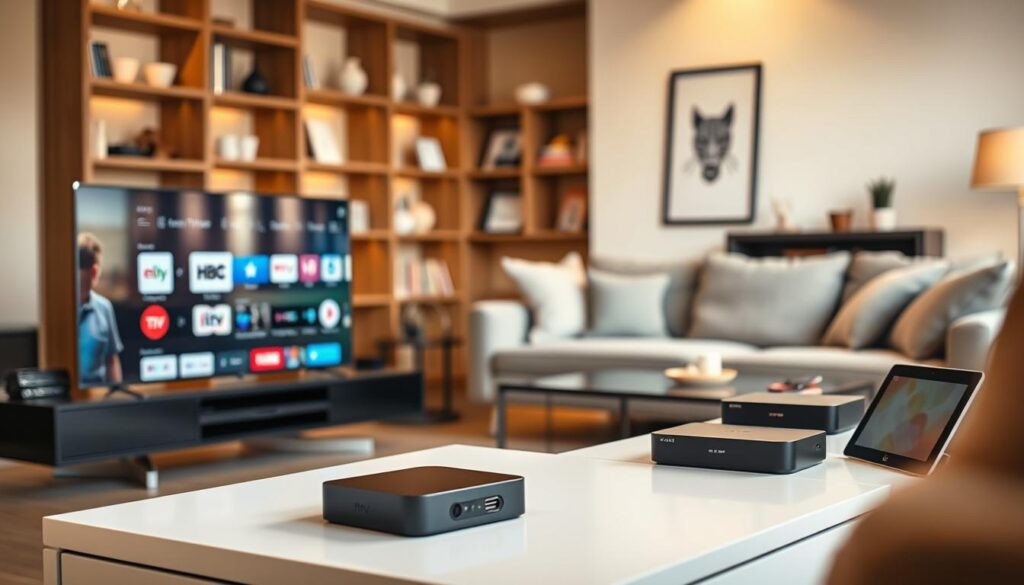
Choosing the right device is vital for smooth united kingdom live tv and good IPTV device compatibility. Each option has strengths and weaknesses. This guide compares popular choices and key buying points.
Amazon Fire TV Stick and Fire TV Cube
The Amazon Fire TV Stick and Fire TV Cube connect through HDMI and use Fire OS. They suit viewers wanting a small device and a simple remote. Application availability may vary by region, so install software from trusted sources for safer streaming.
Android TV Boxes Including NVIDIA Shield
Android TV boxes, especially the NVIDIA Shield, provide access to the Google Play Store and many applications. Their strong processing power supports smooth, high-resolution playback. The NVIDIA Shield suits users seeking media features beyond IPTV.
Apple TV 4K and HD Models
Apple TV models, including the 4K and HD versions, use the tvOS interface. They work smoothly with other Apple devices, but the App Store has limits. Check that your preferred services are supported before buying, as some IPTV applications may be unavailable.
MAG Boxes and Formuler Devices
MAG Boxes and Formuler devices focus on IPTV portals and include dedicated remote controls. They offer electronic programme guides, which can improve viewing. Confirm compatibility with your IPTV provider before choosing one.
In summary, every device has advantages, but compatibility does not guarantee access to every channel or subscription. Check specifications and user reviews to find the best option for your streaming needs.
Best IPTV Apps for Streaming United Kingdom Live TV
Choosing the best IPTV app can change how you watch UK live TV. These apps organise your lawful television subscription or playlist. We explore top apps, their features, and IPTV app compatibility.
IPTV Smarters Player Features
IPTV Smarters Player is popular because it offers strong features. It supports several login formats and multiple profiles, so families can share one app. Its electronic programme guide (EPG) helps you find channels; check provider support and your device first.
TiviMate for Android TV Users
TiviMate is made for Android TV and has a television-friendly interface. It offers favourites, channel groups, and a schedule view for easy use. This app suits viewers seeking a simple way to watch UK live TV.
GSE Smart IPTV on iOS Devices
GSE Smart IPTV is a useful option for iOS users. It works with compatible iOS devices, but check its availability on the App Store. Also, check whether your subscription format supports smooth streaming services.
Perfect Player Setup Guide
Perfect Player is a lightweight IPTV app for viewers who prefer simple playlists and guides. Its clear design makes navigation easy, but some features may need a paid version or provider support.
When choosing an IPTV app, compare these features for your streaming services:
- Supported devices
- Login format
- Catch-up support
- Recording functionality
- Multi-screen options
- Parental controls
- Ease of navigation
For more choices, explore additional IPTV apps here. Check current compatibility, privacy settings, and update status before choosing.

Smart TV and Streaming Device Support
Understanding Smart TV and streaming device support helps you enjoy united kingdom live tv. Each platform has features that can shape your streaming experience. This guide explores key differences between popular Smart TVs and external streaming devices.
Samsung Tizen Smart TVs
Samsung Tizen Smart TVs offer many applications through the Samsung app marketplace. Check your television model and keep its firmware updated for strong performance. Updates provide the latest features and applications for united kingdom live tv.
LG WebOS Smart TVs
LG WebOS Smart TVs use the LG Content Store for various streaming applications. Available applications may differ by WebOS version and region. Check for updates to expand your streaming services and options.
Sony Bravia Google TVs
Sony Bravia Google TVs provide easy access to Google Play and Android-based applications. Voice search makes finding your favourite shows easier. Check storage and software requirements for the best experience.
Streaming Sticks and Dongles Comparison
External devices like Fire TV and Google TV can improve your viewing experience. They help when your Smart TV lacks an essential app or becomes slow. Here’s a quick comparison:
- Fire TV Stick: Affordable, supports 4K, extensive app selection.
- Google Chromecast: Easy installation, voice control, versatile app options.
- Roku Streaming Stick: User-friendly interface, good performance, wide app availability.
These devices connect through HDMI and need their own power supply and internet connection. Before choosing, check your television’s HDMI standard and available sockets for compatibility.
Streaming Quality and Performance Tips
Several factors shape streaming quality, including video resolution, network speed, and device capabilities. Understanding them helps you enjoy better viewing on United Kingdom live TV.
Understanding Video Resolution Options
SD, HD, and 4K Streaming Standards
Video resolution affects stream quality. Here is a quick overview:
| Resolution | Quality | Bandwidth Requirement |
|---|---|---|
| SD (Standard Definition) | Lower quality, suitable for older TVs | 1-3 Mbps |
| HD (High Definition) | Sharp and clear, ideal for most modern TVs | 5-10 Mbps |
| 4K (Ultra High Definition) | Exceptional clarity, requires compatible hardware | 25 Mbps or more |
A 4K television cannot turn an SD stream into genuine 4K. Your viewing quality depends on your internet connection and device capabilities.
Preventing Buffering and Stream Interruptions
Buffering can be frustrating. Use these strategies to help prevent interruptions:
- Restart your router regularly.
- Close any unused applications that may be consuming bandwidth.
- Update your streaming player to the latest version.
- Reduce the number of simultaneous streams on your network.
- Select a lower resolution during peak usage times.
Bandwidth Optimisation Techniques
Optimising bandwidth can improve your streaming experience. Here are some useful tips:
- Check your broadband plan to ensure it meets your streaming needs.
- Monitor household usage to avoid congestion.
- Avoid large downloads during live programming.
broadcast signal reception matters for aerial or satellite television. Internet streaming depends largely on broadband performance. If issues occur, test another service, check one or all channels, reboot your device, then contact your provider if needed.
Security and VPN Recommendations for UK Live TV
To enjoy UK live TV safely, learn how to protect your privacy and data. As streaming services grow, online safety matters more than ever. A Virtual Private Network (VPN) encrypts your internet traffic, providing protection on public or shared networks.
Why You Need a VPN for Streaming
A VPN helps protect your privacy while streaming. It masks your IP address, making online activity harder to track. A VPN cannot replace a television licence; bypassing licensing rules or geographical restrictions is unlawful and may cause provider complications.
Top VPN Services for United Kingdom Live TV
When choosing a VPN, consider these key criteria:
- Strong privacy policies
- Modern encryption standards
- Availability of UK servers
- Reliable connection speeds
- Transparent pricing
Some reputable VPN services that meet these criteria include:
| VPN Service | Privacy Policy | UK Server Locations | Speed Performance |
|---|---|---|---|
| ExpressVPN | No logs | Multiple | High |
| NordVPN | No logs | Multiple | High |
| Surfshark | No logs | Multiple | Medium |
Configuring a VPN on Your Streaming Device
Setting up a VPN is straightforward: install its app on Fire TV, Android TV, or compatible Apple TV. Alternatively, use a supported router or VPN-enabled network, choose a nearby server, and confirm the connection before opening streaming services. If speeds are slow, disconnect and try another server.
Finally, use official applications and strong passwords. Enable two-factor authentication wherever available to improve your security.
Subscription Plans and Pricing Options
When comparing streaming services, review the available subscription plans. Each plan has different prices and connection limits, so choose one matching your viewing habits.
1 Connection Subscription Tiers
This tier suits people who stream on one device. The options are listed below:
| Duration | Price | Special Offer |
|---|---|---|
| 1 Month | £13 | N/A |
| 3 Month | £25 | 1 Month Free |
| 6 Month | £35 | 2 Months Free |
| 12 Month | £60 | 3 Months Free |
2 Connection Subscription Tiers
This tier suits people who want to stream on two devices at the same time. Consider these options:
| Duration | Price | Special Offer |
|---|---|---|
| 1 Month | £19 | N/A |
| 3 Month | £35 | 1 Month Free |
| 6 Month | £55 | 2 Months Free |
| 12 Month | £75 | 3 Months Free |
3 Connection Subscription Tiers
This tier suits families or groups who want to watch different content at the same time. Review these options:
| Duration | Price | Special Offer |
|---|---|---|
| 1 Month | £25 | N/A |
| 3 Month | £50 | 1 Month Free |
| 6 Month | £75 | 2 Months Free |
| 12 Month | £99 | 3 Months Free |
4 Connection Subscription Tiers
This option suits larger households or users who want more flexibility. It supports streaming on four devices.
| Duration | Price | Special Offer |
|---|---|---|
| 1 Month | £30 | N/A |
| 3 Month | £65 | 1 Month Free |
| 6 Month | £99 | 2 Months Free |
| 12 Month | £130 | 3 Months Free |
Before choosing, check the provider’s terms, channel list, support policy and lawful status. Understanding connection tiers can improve your streaming experience and match your programme schedule.
Benefits and Features of Streaming United Kingdom Live TV
Streaming united kingdom live tv offers many benefits for your viewing experience. Digital platforms have encouraged viewers to move from traditional cable to streaming services. This change reflects practical advantages for modern audiences.
Channel Variety and Programme Schedule Access
One major benefit of streaming is its wide channel variety. You can watch live news, entertainment, sports, children’s programming, and regional content in one place. Your provider decides the selection, while the programme schedule shows what is airing and helps you plan viewing.
Cost-Effectiveness Compared to Traditional Cable
When comparing costs, streaming can be more cost-effective than traditional cable. Equipment and broadband may create initial expenses, but many streaming services offer lower monthly fees. Compare total costs, including television licence obligations and separate broadcaster subscriptions, to understand streaming’s true value.
Flexibility and Multi-Device Portability
Another reason to choose streaming is its flexibility. You can enjoy united kingdom live tv on Smart TVs, tablets, and mobile phones. This lets you watch favourite shows at home or away, while catch-up television covers missed programmes; availability varies by provider.
Streaming services often include favourites, search tools, subtitles, parental controls, and tools to pause and replay content. However, streaming relies on internet access, so an unreliable service can cause problems. Terrestrial television remains available during internet outages.
| Feature | Streaming Services | Traditional Cable |
|---|---|---|
| Channel Variety | High | Moderate |
| Cost | Lower Monthly Fees | Higher Monthly Fees |
| Device Flexibility | Multiple Devices | Limited Devices |
| Catch-Up Options | Available | Limited |
Conclusion
To set up united kingdom live tv, check your internet and choose compatible hardware. Use a Smart TV or HDMI streaming device, then install a trusted IPTV player or official broadcaster app. Enter valid credentials, organise your channel list, and test picture quality before choosing a long-term plan.
United kingdom live tv includes terrestrial television and works on Smart TVs, streaming sticks, and Android TV boxes. Application and channel support may vary, and internet speed depends on SD, HD, or 4K quality. A Smart TV is unnecessary; an HDMI streaming device can support a standard television.
IPTV apps organise content but do not automatically provide lawful channels. A VPN is optional for streaming, but never use it to bypass licensing or provider restrictions. Check whether a television licence is required for live broadcasts or BBC iPlayer.
Testing compatibility, reviewing terms, and choosing a setup for your household, viewing habits, and budget will improve your streaming experience.
FAQ
What equipment do I need to stream United Kingdom live TV?
To stream United Kingdom live TV, you need a modern Smart TV or external streaming device. Options include an Amazon Fire TV Stick, Android TV box, or Apple TV. You also need stable internet, preferably through Ethernet, an HDMI port, and an app store for necessary applications.
What internet speed do I need for streaming?
For standard-definition (SD) streaming, a minimum speed of 3 Mbps is recommended. For high-definition (HD) content, aim for at least 5-10 Mbps. 4K streaming typically needs 25 Mbps or more, so check your broadband plan meets these requirements.
Do I need a television licence to watch live TV in the UK?
Yes, you need a television licence in the UK if you watch live television or use BBC iPlayer. This applies to terrestrial television, satellite broadcasting, and streaming services.
Can I use a VPN for streaming United Kingdom live TV?
Yes, a VPN can improve privacy by encrypting your internet traffic. However, do not use it to bypass licensing rules or geographical restrictions. Choose one compatible with your streaming device that also provides reliable speeds.
What are the best IPTV apps for streaming live TV?
Popular IPTV apps include IPTV Smarters Player, TiviMate for Android TV, GSE Smart IPTV for iOS devices, and Perfect Player. These apps organise your lawful television subscription or playlist, but they do not provide channels themselves.
How do I troubleshoot streaming issues?
If streaming problems occur, check your internet connection and restart your router. Update your streaming app and try reducing the number of devices using the network. If problems persist, contact your service provider for assistance.
